Signatures Layout
This guide explains the layout and elements of the standard email signature used at GFS Home Loans.
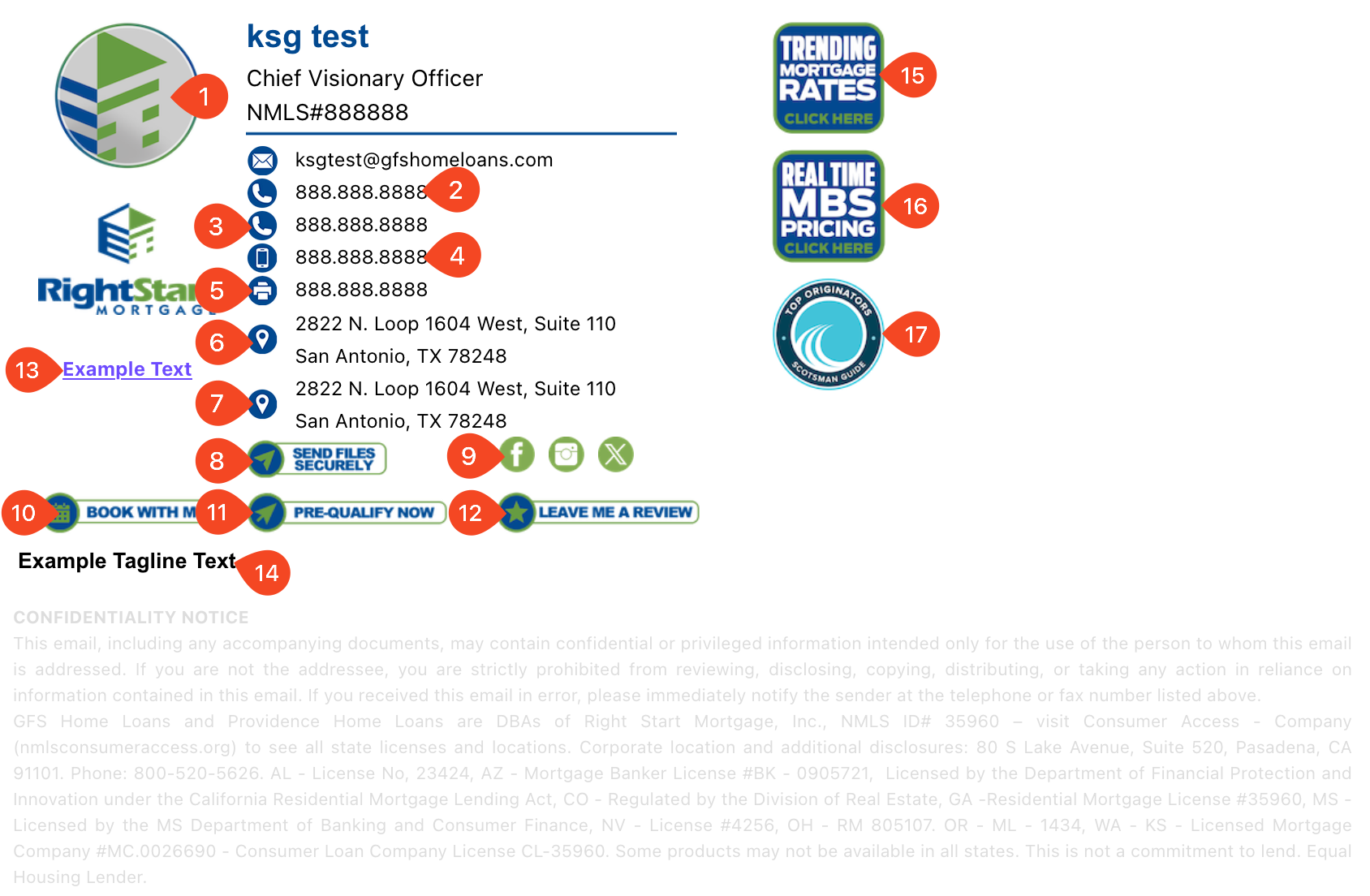
Signature elements (numbered)
- Your company portrait
- Company Phone Number
- Second Company Phone Number — Contact Marketing to modify (marketing@gfshomeloans.com)
- Mobile Number — User editable within MWS portal (app.mortgageworkspace.com/UserProfile)
- Company Fax Number
- Company Address
- Second Company Address — Contact Marketing to modify (marketing@gfshomeloans.com)
- Your Document Guardian link
- Company Social links — User editable within MWS portal (app.mortgageworkspace.com/UserProfile)
- Your Book with me link — User editable within MWS portal (app.mortgageworkspace.com/UserProfile)
- Your Pre-Qualify link
- Your Leave Me a Review link
- Custom under logo text — Contact Marketing to modify (marketing@gfshomeloans.com)
- Custom Tagline text — Contact Marketing to modify (marketing@gfshomeloans.com)
- Custom Banner1 — Contact Marketing to modify (marketing@gfshomeloans.com)
- Custom Banner2 — Contact Marketing to modify (marketing@gfshomeloans.com)
- Custom Banner3 — Contact Marketing to modify (marketing@gfshomeloans.com)
tip
User-editable items: Mobile number, social links, and Book with me link can be updated in the Mortgage Workspace User Profile. For other changes, contact Marketing at marketing@gfshomeloans.com.