Blocked Senders in Outlook
Classic Outlook
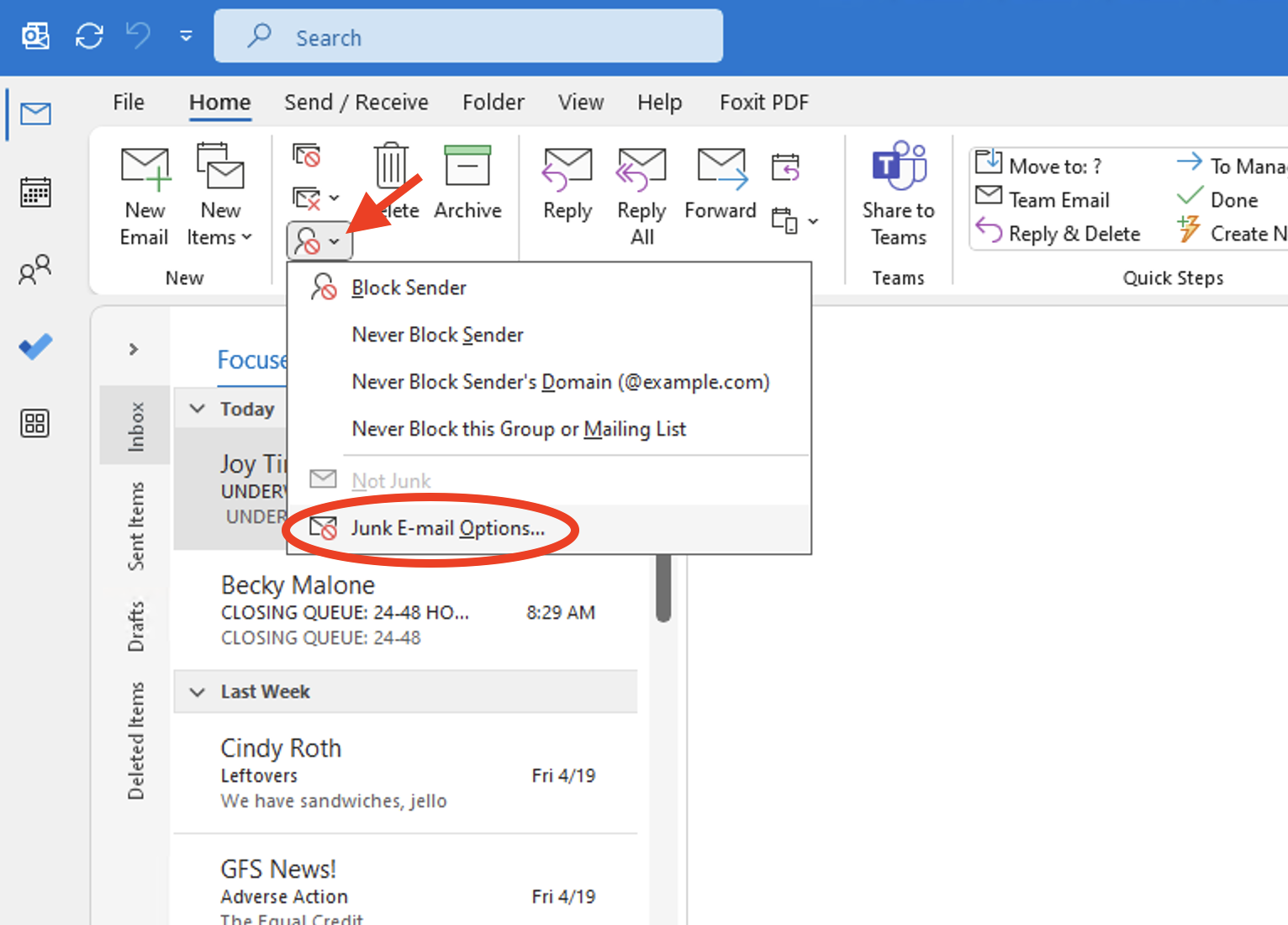
- Open Classic Outlook
- Select the Block Sender icon.
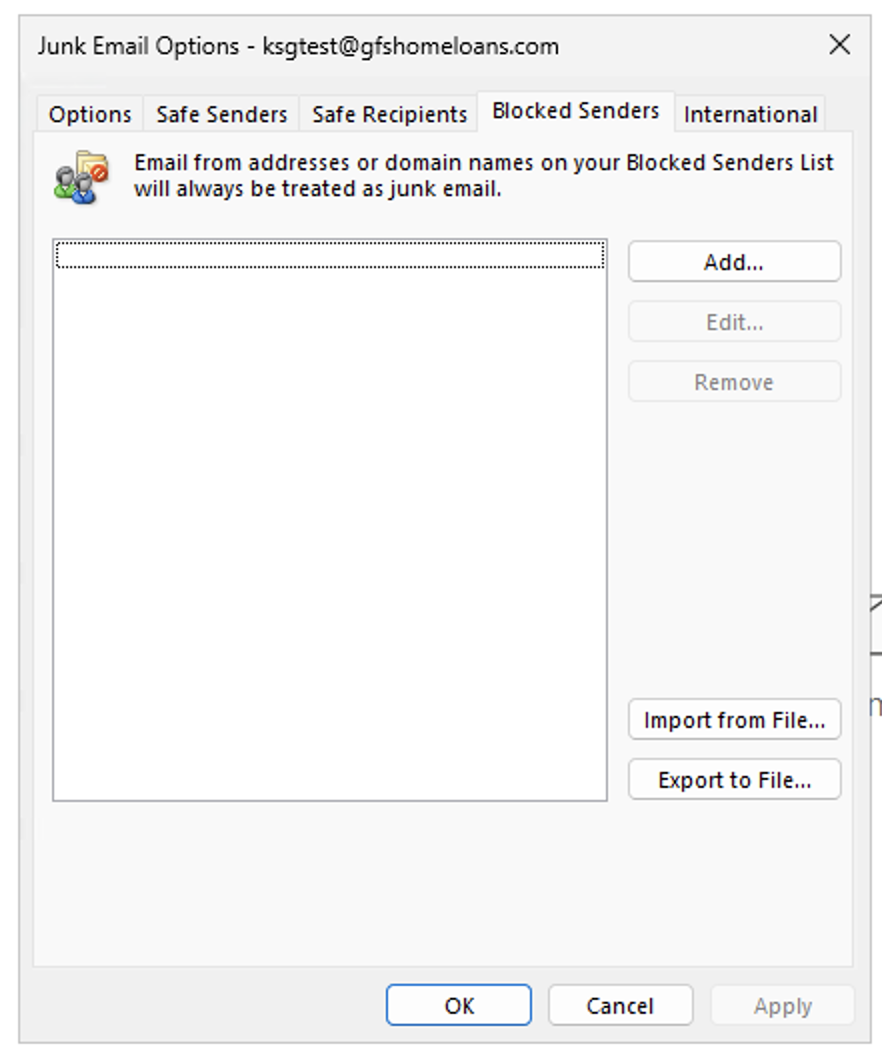
- Select Junk E-mail Options....
note
You’ll see any blocked senders in the list above.
OWA (Outlook Web Access)
- Open outlook.com via web browser.
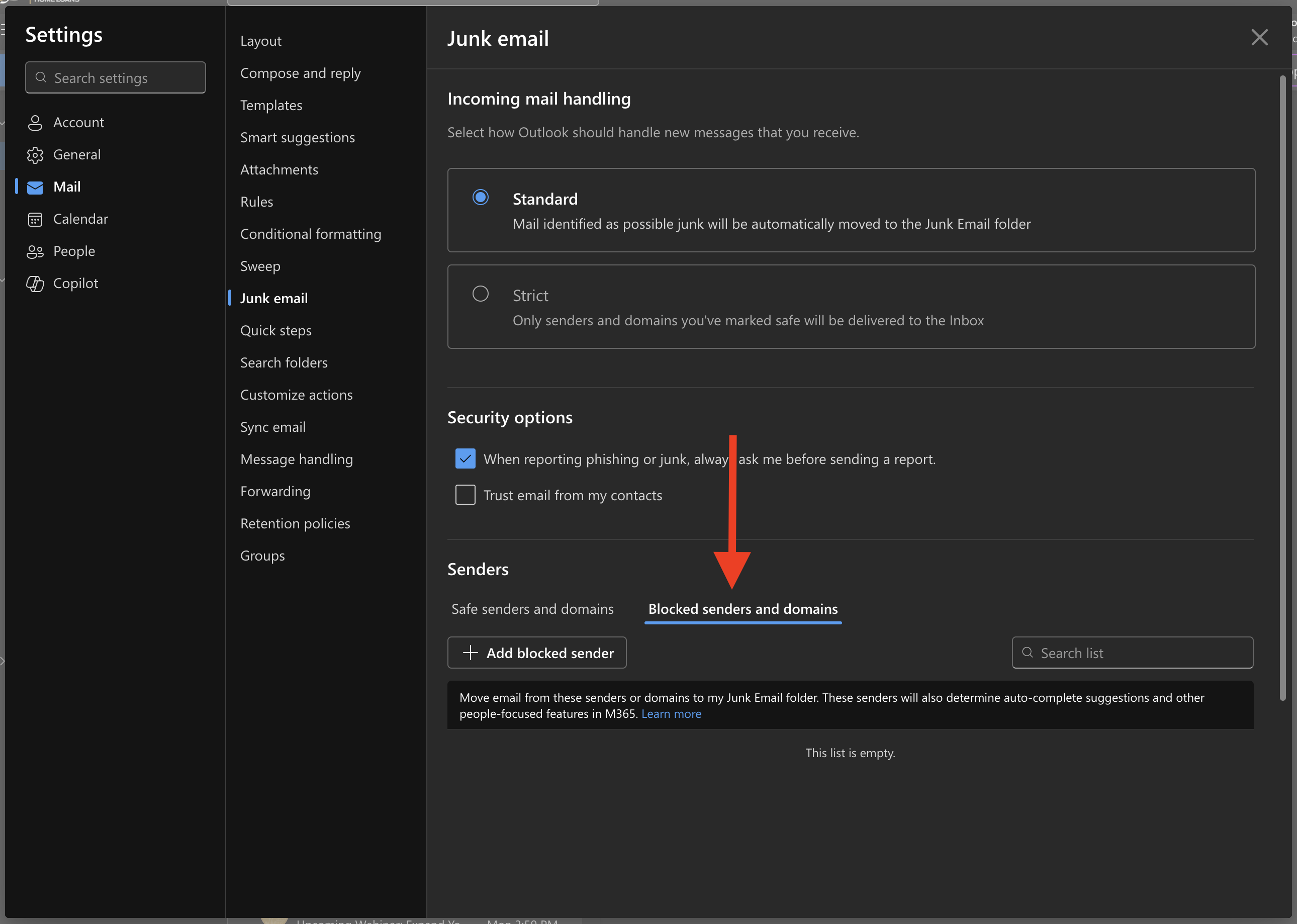
- Select the ⚙️ icon located at the top right of the page or navigate directly to the junk mail options via link below.
- Select Blocked senders and domains
note
You’ll see any blocked senders in the list above.